On this page
Everyone you serve is one customer record. A “member” is a customer with an open plan. There is not a second list.
Your site may say members, clients, or customers. That word comes from vocabulary. The screen is the same.
Find or add someone
Admin → Customers. Search by name, email, phone, or company. Show archived customers if you need an old record.
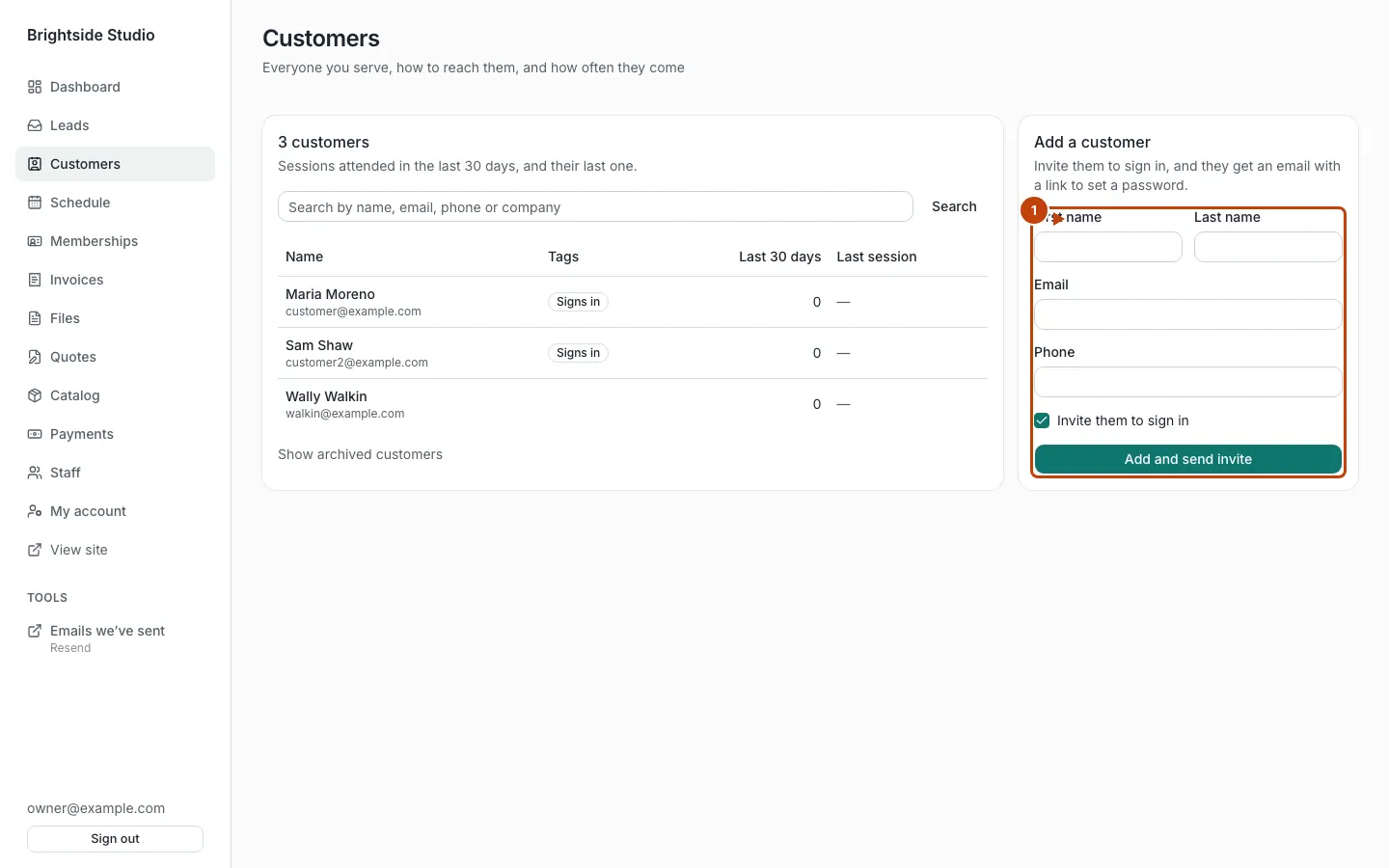
Use Add a customer on the right.
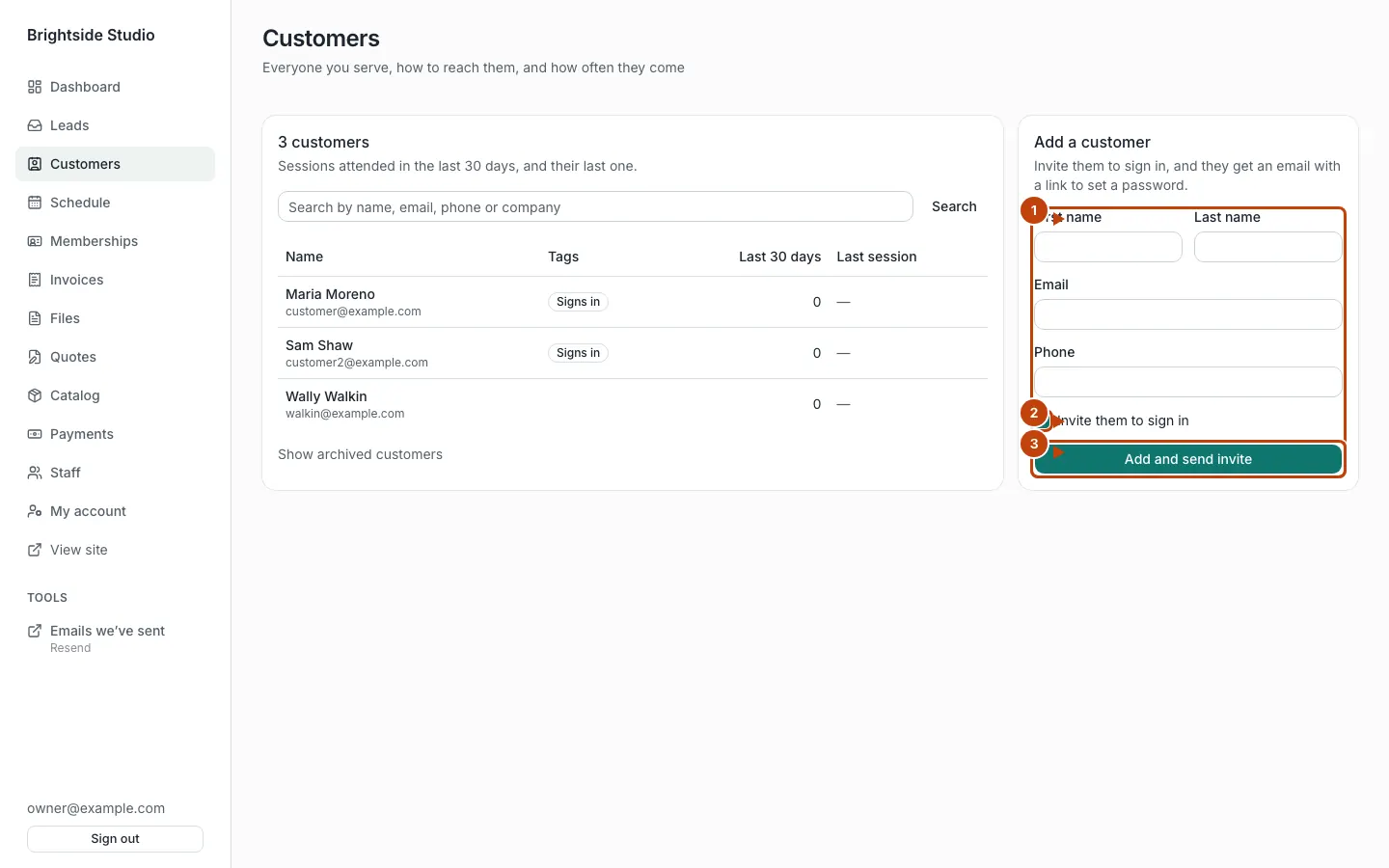
Orange numbers:
- The add form. Fill name, email, and phone.
- Tick Invite them to sign in if they should use the portal.
- Press Add and send invite (or Add if you leave the box unticked).
Invite someone who is already on the list
Open the person. If they cannot sign in yet, press Invite to sign in.
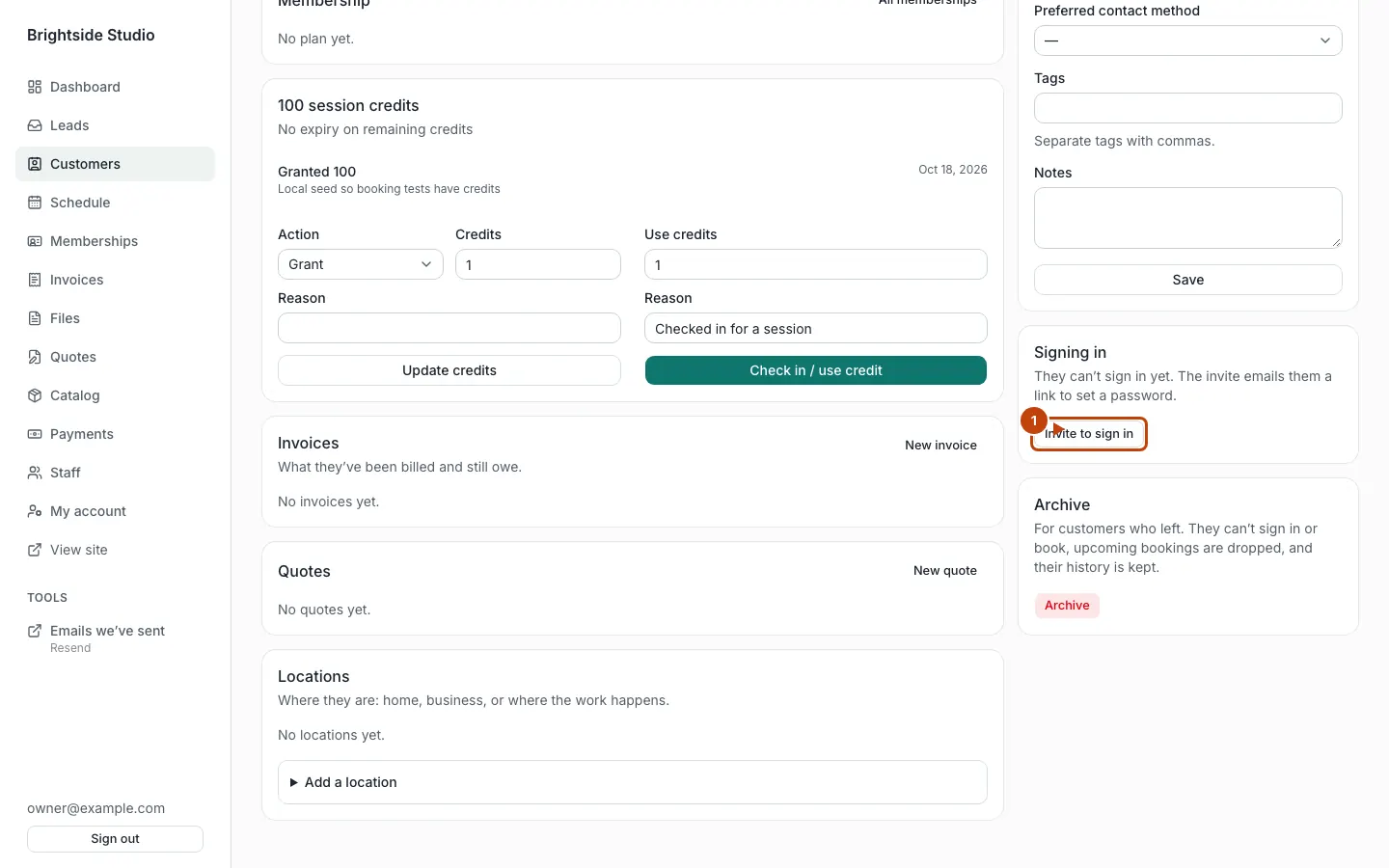
Orange numbers:
- Invite to sign in
Open a customer
You can:
- Edit Details and Save
- Invite to sign in so they can use the portal
- Archive or Restore
- Add or remove Locations
- See upcoming sessions and attendance, if booking is on
- See their plan, if memberships are on
- See session credits, if packs are on
- Open New invoice, if invoices are on
Session credits on the customer page
If session packs are on, staff can Update credits and Check in / use credit. That uses one credit without going through the booking screen. Booking a session also uses a credit when packs are on. Details: Session packs.
Won leads
A lead in Won can become a customer. Open the lead and press Make them a customer. See Leads.
What customers see
If the customer portal is on, invited people sign in at /portal. They see their own plan, packs, sessions, quotes, and invoices. They never see admin.