On this page
Session packs are one-time packs of credits. A gym might sell a 10-class card. They are not a recurring plan. Recurring billing is memberships.
This tool needs payments and the customer portal. Ask your agent to turn sessionPacks on.
Add a pack
- Sign in as the owner.
- Open admin → Catalog.
- Fill Add a pack on the right: name, description, price, session credits, and optional expiry.
- Press Add pack.
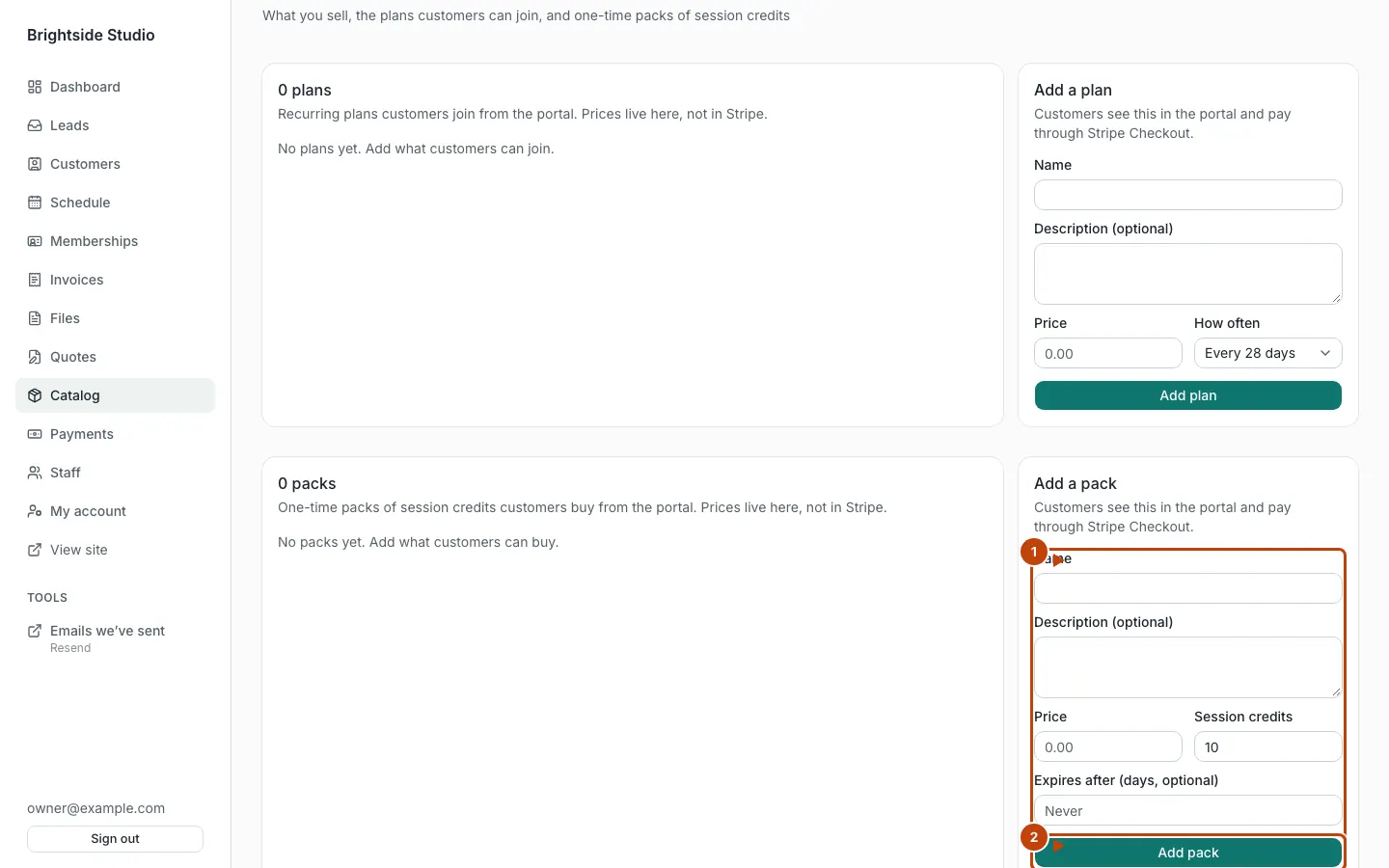
Orange numbers:
- The Add a pack form
- Add pack
Credits are 1 to 10,000. Expiry is days from the grant, 1 to 3,650, or none. No expiry means leftover credits do not run out.
Staff can look. Only an owner can change packs.
How a customer buys
They sign in and open /portal/session-packs. Checkout is a one-time payment on your Stripe account.
Without Stripe keys, local and preview deploys simulate the purchase. Nothing is charged.
How credits get used
- When group session booking is on, booking a session uses one credit per place.
- If staff add the person to a session, that also uses a credit.
- If booking is off, staff use Check in / use credit on the customer page.
If they cancel or you remove them from the session, the credit is put back. Expired lots do not count as available.
If session packs are off, group booking does not charge a credit.
What you see
Admin → Customers → the person. You will see remaining credits and the next expiry, if any. You can Update credits (an admin grant) or check them in.
Portal home has a Your packs card.
Refunds
A pack purchase is a payment. Owners refund from admin → Payments. Hand the money back yourself for cash or a simulated payment.
Canonical: https://www.xylosoftware.com/cms/docs/session-packs