On this page
Payments is one-time money: cards through Stripe on your account, plus cash and checks staff record. Invoices, quote deposits, memberships, and session packs all go through this foundation. There is not a second ledger.
Ask your agent to turn payments on. You cannot flip that switch in admin.
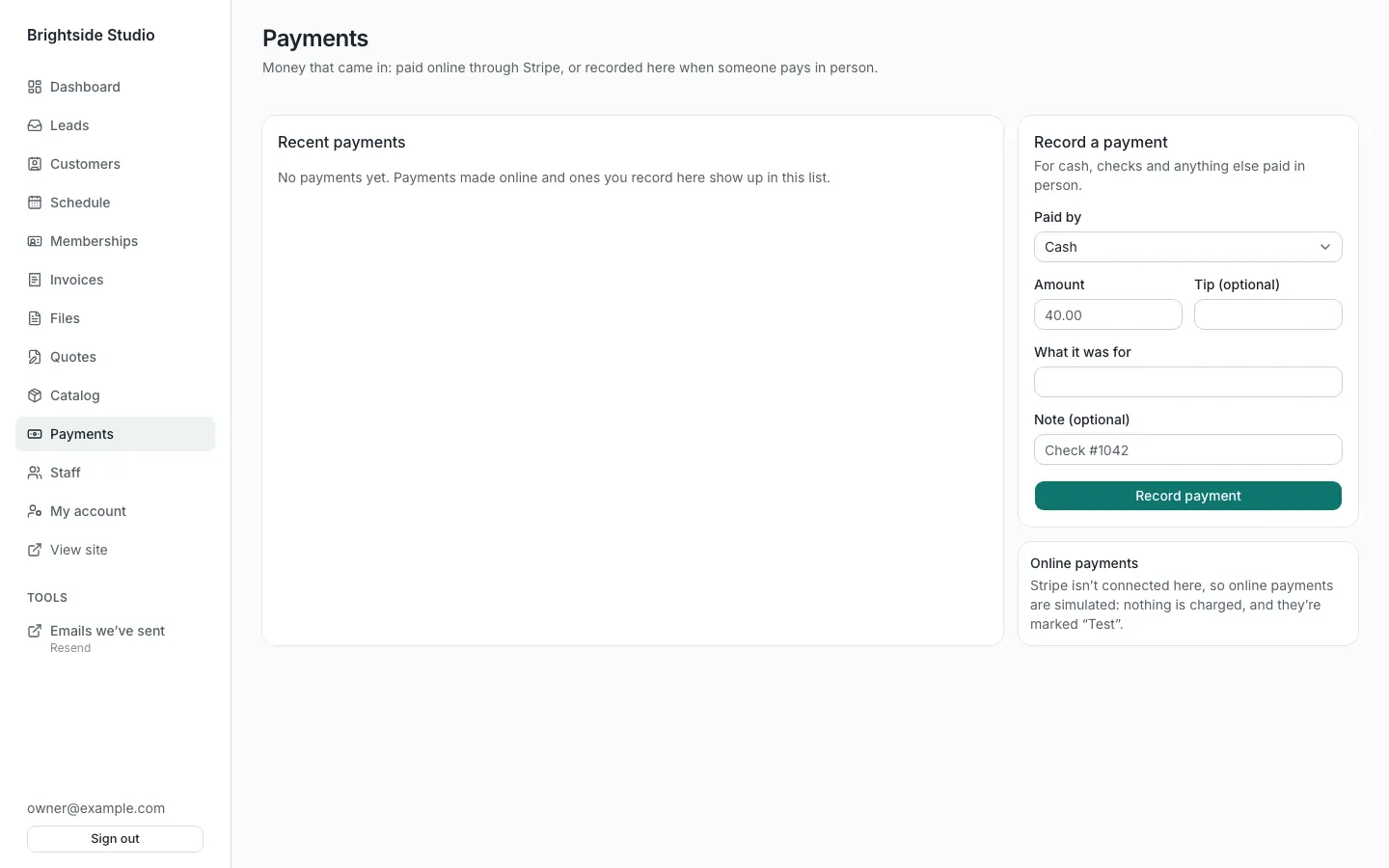
Record cash or a check
Admin → Payments. Use Record a payment on the right. Choose how they paid (Cash, Check, or Other). Press Record payment. That is for money paid in person.
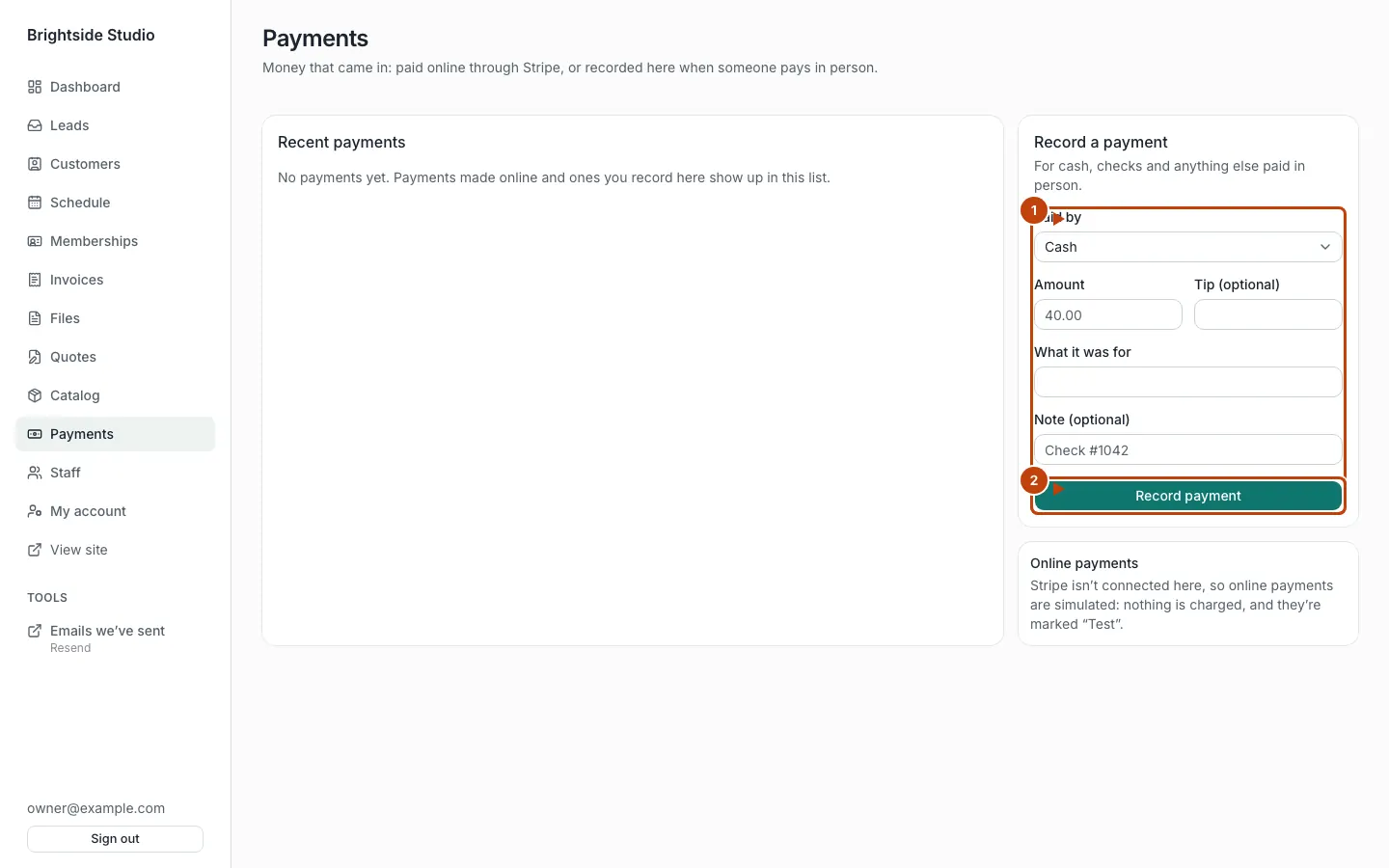
Orange numbers:
- The Record a payment form
- Record payment
Online payments show as card or ACH. You do not type those in by hand. Stripe sends them after checkout.
Refund a payment
Only an owner sees Refund. For a card or bank payment, Stripe refunds it. For cash, a check, or a simulated payment, the row is marked refunded. Hand the money back yourself.
Pay links
Some features send a private link at /pay/{token}. The customer opens it and pays. Tips appear only when that feature allows them (invoices can turn tips on in config).
What “Stripe is connected” means
The Online payments card on this page tells you the mode:
- Stripe — keys are set. Checkout is real (test or live, matching the keys).
- Simulated — no keys, and you are on a local or preview deploy. Presses succeed. Nothing is charged. Rows say Test.
- Unavailable — no keys in production. Pay links cannot take money online. Recording cash still works.
Set keys with Stripe setup. Use test keys until the account is verified and a bank is connected.
Memberships vs this page
A membership renewal is still a Stripe subscription. You manage plans in Catalog and Memberships. This page is the payment list, including those charges once they land.